


















Stay Casino App: How the Mobile Version Really Works
The Stay Casino app is not a classic store download but a mobile version of the site that works in any modern browser and can be saved on the home screen like a native application. The platform is operated by Hollycorn N.V. under a Curaçao gambling licence, and the same regulatory framework applies to the mobile version as to desktop. All key actions – registration, login, deposits, withdrawals and gameplay – are available directly on a smartphone or tablet.
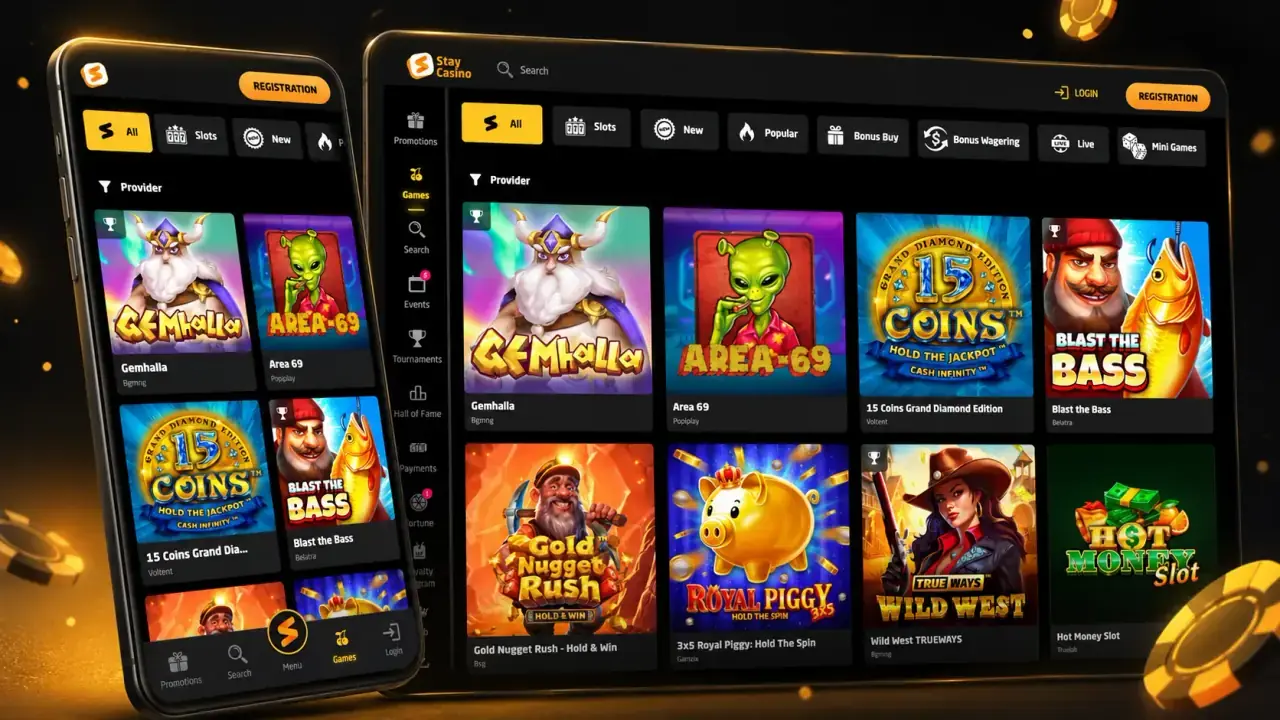
Below, the focus is strictly on how the Stay Casino app works and how players use it on mobile.
What the Stay Casino app actually is
At Stay Casino, the “app” means a mobile-optimised platform, not a separate program:
- Responsive mobile site
The same domain opens in a version adapted to small screens. Menus, game tiles and buttons are re-arranged for touch control. - Web app / PWA-style shortcut
On Android and iOS you can add the site to your home screen. The icon opens Stay Casino in a separate window, giving an app-like experience without store installation. - Single backend for all platforms
Mobile and desktop use one and the same account, wallet and bonus system. If you deposit or claim a bonus on your phone, it is immediately visible on desktop and vice versa.
You do not need to search for “Stay Casino” in Google Play or the App Store: the mobile site is enough to get full access.
Supported devices and technical requirements
The Stay Casino app is intended for everyday smartphones and tablets:
- Devices: Android phones and tablets, iPhone, iPad.
- OS: recent Android versions, iOS 12+ (or higher).
- Browser: Chrome, Safari, Firefox, Edge or another modern browser with JavaScript and cookies enabled.
- Connection: stable 3G/4G/5G or Wi-Fi; live dealer games are more demanding than slots.
If the browser and operating system are up to date, additional software is not required.
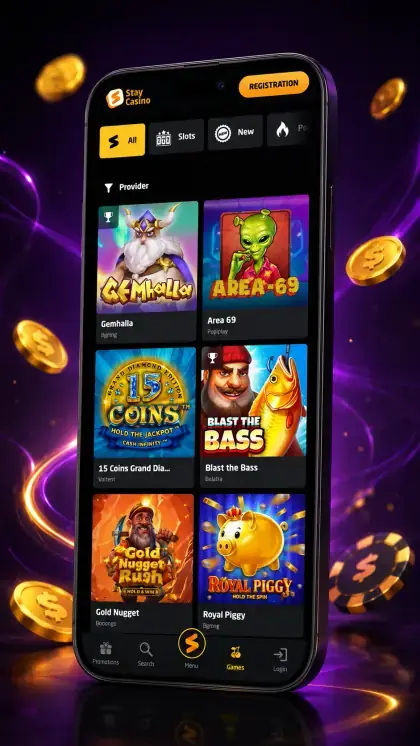
How to access Stay Casino on Android
- Open Stay Casino in your mobile browser
Launch Chrome (or another browser) on your Android device, type the official Stay Casino URL into the address bar and wait until the mobile lobby loads. - Use the mobile interface to enter the platform
On the main screen you will see buttons such as “Sign Up” and “Log In”, game categories and access to the cashier – all arranged for vertical scrolling and touch control. - Create a home-screen shortcut for one-tap access (optional)
Open the browser menu and select “Add to Home screen” (wording may vary slightly). Confirm the shortcut name, then an icon with the Stay Casino logo will appear on your Android home screen. - Launch the app-like shortcut instead of typing the URL
Next time simply tap the icon. The casino will open in a standalone window, behaving similarly to a native application but always using the current version of the mobile site.
How to access Stay Casino on iOS (iPhone / iPad)
- Open the casino in Safari
On your iPhone or iPad, start Safari and enter the official Stay Casino address. The site automatically switches to the mobile interface. - Navigate using the touch-friendly lobby
Registration, login, game sections and cashier are available via buttons and menus optimised for thumb reach and vertical scrolling on iOS devices. - Add Stay Casino to the home screen (optional)
Tap the share icon in Safari and choose “Add to Home Screen”. Check or edit the shortcut name and confirm. An icon will be added to your iOS home screen. - Launch the casino from the icon like a native app
Use the newly created icon to open Stay Casino in a separate window. You still work through Safari’s engine, but with a full-screen, app-style interface.
Registration in the Stay Casino app: step-by-step
- Open the mobile lobby or home-screen icon
Start the mobile site in your browser or tap the shortcut. The first screen shows basic navigation and the registration/login controls. - Go to the sign-up form
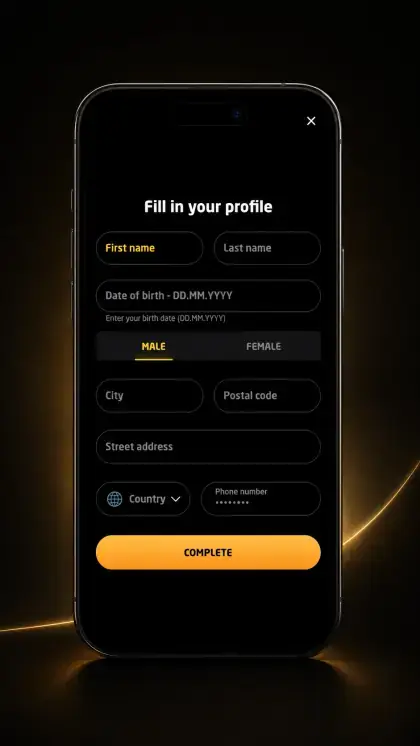
Tap “Sign Up” (or similar). The form is displayed in a vertical layout with fields stacked for easy thumb typing. - Enter account details and choose currency
Type in your email, set a password, pick which currency you want and provide the rest of the requested information (for instance, country or language). Use your actual info so verification goes without issues. - Confirm age and accept the terms
Tick the boxes stating that you are of legal age to gamble and that you accept the general terms and privacy policy. Without this step the account cannot be created. - Activate the account and finish registration
If the system sends a confirmation link or code, follow the instructions from the email or SMS on your mobile device. After activation, you can log in from the app on any supported device.
Login and profile management in the app
- Open the login screen from the mobile header
Tap “Log In” on the top panel or in the main menu of the mobile lobby to open the compact login form. - Enter your credentials
Type the email or username and password you chose during registration. The fields are optimised for mobile keyboards to reduce input errors. - Access your account dashboard
After successful login, open the profile section (often represented by a user icon). Here you can see balances, bonus information and status indicators directly from your phone. - Change settings and personal data if needed
Use the profile and settings menu to update contact details, set interface language, configure communication preferences and adjust other parameters without switching to a desktop.
Gameplay experience in the Stay Casino app
The app version shares the game portfolio with the desktop platform, but is structured specifically for mobile:
- Game tiles and categories
Slots, table games and live casino are grouped in horizontal carousels and vertical lists; categories are navigated with swipes and taps. - Search and filtering
A search bar and basic filters help find titles or providers quickly without long scrolling – important for small screens. - In-game interface
Buttons for bet size, spin, hit/stand and other actions are enlarged and repositioned for thumb control in portrait mode; many games support landscape orientation as well. - Session continuity
If you start a game on mobile and later continue on desktop, the balance remains the same because both platforms use one wallet.
Deposits and withdrawals through the app
The cashier in the Stay Casino app is a mobile version of the same payment system:
- Access to the cashier
The “Deposit” or “Cashier” button is available from the main lobby and often from the header. Tapping it opens a vertically optimised payment screen. - Depositing in a few steps
- Choose a payment method.
- Enter the deposit amount and, if necessary, payment details (card, wallet, etc.).
- Confirm the transaction and wait for the result screen.
Funds are usually credited immediately; the updated balance is visible in the header and cashier.
- Requesting a withdrawal
In the withdrawal section you select a method, specify the amount and confirm the request. Limits, processing times and any extra conditions are shown in the same interface. - History and status tracking
Completed and pending transactions are listed in the mobile history screen, allowing you to check the status of deposits and withdrawals directly from your smartphone.

Bonuses in the Stay Casino app
All promotions available on desktop can also be activated in the mobile app:
- Welcome package and reloads
Bonus offers are visible in the “Promotions” section or directly in the cashier when making a deposit. Mobile players see the same percentages, maximum bonus amounts and free spins as desktop users. - Activation process
- Choose a promotion.
- Read the main conditions (wagering, minimum deposit, time limit).
- Make a qualifying deposit and, if required, enter a promo code.
- Check the bonus balance in your account on mobile.
- Bonus tracking on mobile
Progress bars and remaining wagering requirements are accessible in the profile or bonus section. This allows you to monitor conditions without leaving the app environment.
Tournaments, missions and VIP in the Stay Casino app
Tournaments, missions and loyalty benefits are also integrated into the mobile experience:
- Access to tournaments and missions
If Stay Casino runs slot tournaments or mission-style events, they are listed in the mobile lobby or promotions area. From a phone you can join an ongoing event, follow the rules and track your position in the leaderboard without opening the desktop site. - Earning loyalty points on mobile
Bets placed from the app contribute to loyalty or VIP progress in the same way as desktop play. Points, levels and available perks are tied to the account, not to the device. - Viewing VIP status and rewards
Current VIP level, available benefits and conditions for the next tier are displayed in the account or dedicated loyalty section, which is fully accessible from the mobile interface.
Thus, players who primarily use the app do not lose access to long-term loyalty benefits or competitive events.
Design, navigation and performance on mobile
The mobile interface of Stay Casino is constructed around short sessions and one-hand use:
- Layout
Main navigation elements (lobby, search, cashier, profile) are placed in the top bar, bottom panel or slide-out menu to stay reachable with the thumb. - Optimisation
Pages, images and game lists are compressed and structured for faster loading over mobile networks. Some visual effects may be simplified to maintain stability. - Orientation
Most lobby interactions occur in portrait mode, while some games automatically suggest rotating the device to landscape for a wider view and more convenient controls.
This design approach keeps interaction focused on the app itself, without unnecessary transitions to desktop-style pages.
Security and responsible play in the app
From a technical and procedural point of view, the mobile app uses the same protection mechanisms as the main platform:
- Encrypted HTTPS connection for all data and payment operations.
- Password-based authentication; in some cases, additional verification steps for sensitive actions.
- KYC procedures (document uploads) available directly from the phone’s camera or file storage.
Tools for responsible play – deposit limits, session limits, cooling-off and self-exclusion – are also configurable via the mobile interface. Once they are set on any device, the restrictions apply to your entire account.
Pros and limitations of the Stay Casino app
Pros
- No need to download a heavy file or search in app stores.
- Full account functionality – registration, verification, payments, bonuses and games – in one mobile interface.
- Easy access from the home screen through a shortcut.
- The app updates itself: always opens the latest site version.
- Access to tournaments, missions and VIP benefits directly from a smartphone.
Limitations
- Stable internet is required for smooth live dealer sessions.
- Interface and available payment methods may differ slightly by region.
- Some users may still prefer a larger screen for long sessions or multi-table play.
Stay Casino app FAQ
Do I have to install a separate app to play at Stay Casino?
No. The main solution is the mobile-optimised site, which you can open in a browser and optionally add to your home screen as an app-style shortcut.
Can I register a new account directly from my phone?
Yes. The full registration process, including activation, is available in the mobile interface.
Are deposits and withdrawals on mobile different from desktop?
No. The payment options, limits and rules are identical. You handle everything through the mobile version of the cashier using the same wallet.
Do bonuses work in the app?
Yes. Bonuses are part of your account, not tied to any device. All qualifying offers can be claimed and used via the Stay Casino mobile app.
Can I join tournaments and use VIP benefits via the app?
Yes. Tournaments, missions and loyalty rewards are linked to your account and can be accessed and used directly from the mobile lobby.